PoC: VSCode LSP with Language Server (in TypeScript) - Diagnostics#811
PoC: VSCode LSP with Language Server (in TypeScript) - Diagnostics#811ankitaS11 wants to merge 6 commits intolcompilers:mainfrom
Conversation


|
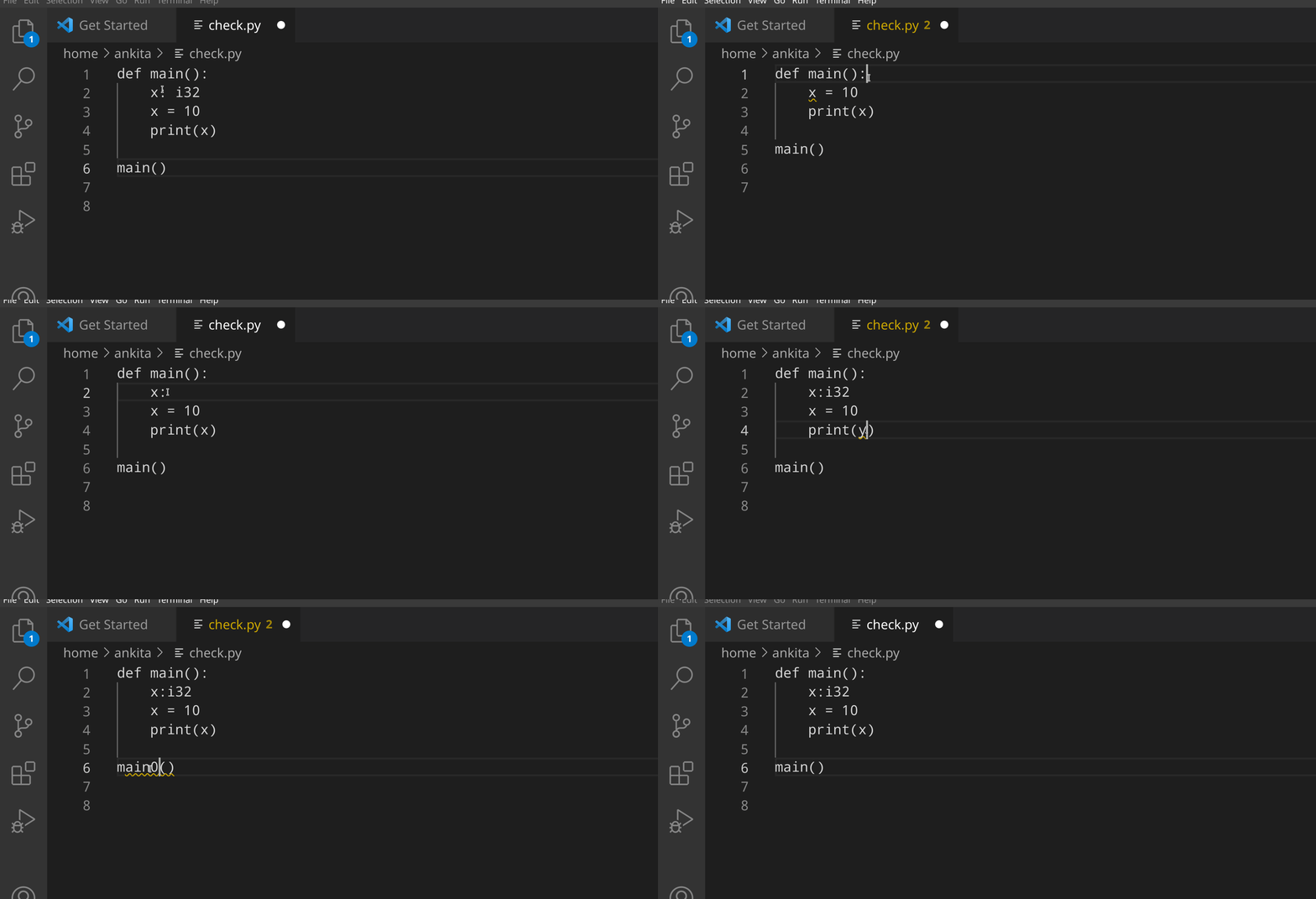
Here is the demo if anyone is interested.
|


|
Awesome, great job! The VSCode extension should probably be maintained as a separate repository, but that would be an easy change. If this PR works, we can add it to a repository and only merge the LPython change. @namannimmo10 would you please have time to test this PR out? (Do not merge, we have to do the above refactoring.) |

|
This is looking great @ankitaS11!! From my cursory reading of this PR you are adding a second Language Server that is meant to serve the diagnostic messages for LPython. If that is the only thing you are planning on doing, might I suggest you implement this as a linter instead? Basically the only thing that you need is an interface to Basically the gist of it is, that if you want a standalone feature from LSP e.g. diagnostics, you don't have to implement the entire server, you can just implement the interface to that single feature and VS Code is capable of merging all the providers. |
Hi @gnikit First of all, thanks for the discussion in the previous PR about using the VSCode's language server existing module, and that helped a lot. :) Just to clarify, this will be the only language server (for LPython) once, and if this PR is merged (I'll remove the previous implementation of JSONRPC and LpythonServer in C++ in the next commits), and will consequently also add other features like document symbol lookup. Do you think that solves your question? |
No worries, it's my pleasure helping out, feel free to drop me an email if you have any questions with LSP.
I see. Removing the JSONRPC from C++ sounds like a good idea but if your parser (libASR) is in C++ you will still have to communicate the results from C++ to whatever language you choose to implement your LS. You can use normal JSON for that like you are doing here, or TOML, or some other custom format. From my understanding you are currently sending your diagnostics from C++ in JSON, then parsing them into a The underlying problem basically is that your semantics (libASR) are in C++ and there is no straightforward way to interface with Typescript. To do that you would basically have to reinvent the JSON requests already present in the LSP. Does that make a bit more sense? I will drop a message to the Microsoft Team that produced proprietary Language Servers in C++ to see if they can disclose any details. |
|
Right now the current code is still maintainable, so I suggest we follow our current design and get everything working. I agree with @gnikit that there is probably a better way to do this, and if so, we should definitely refactor our code to use the better approach. I'll meet with @gnikit next week to discuss this more, and we can even meet all three of us to brainstorm the design. We'll use exactly the same approach with LFortran also later on. |
|
Let me quickly explain how we are communicating the TypeScript Language Server with C++ libASR: (https://github.com/ankitaS11/lpython/blob/lsp/vscode-ts/editor/vscode/lsp-sample/server/src/server.ts#L246) const stdout = await runCompiler(text, "--show-errors ", settings);What this means is, that we communicate with the compiler and not with libASR, so we rely on the compiler to have an appropriate flag that will just print the output to the console. Yes, we'll expect it to print us the necessary information in a decided structure (example: it should have line details if it's diagnostics, and with specific names to those values), which is (in my opinion) alright since we'll have to have a standard for our own communication at some stage. This function This means, that when we try to add support for document symbol lookup, we'll just need a flag in LPython compiler, something like: I haven't looked yet at what information is required for For LFortran, this will be the same, that we just have the same flags, and honestly speaking, I found this as the only way (to my knowledge - which might be limited at this point in time) to have a server in TS (which enables us to do more and better) communicating with the compiler.
@certik - By "current code", do you mean the code in this PR or the LSP code we had merged before? Just wanted to clarify!
I think a discussion will help! I'll be happy to join and discuss or brainstorm the ideas/design. |

|
Great work. Thanks, @ankitaS11. I tested this locally and works as expected. |
4 participants


This PR aims to provide a PoC for using VSCode’s official language server module, which replaces the existing LSP’s JSONRPC and LPythonServer code base. Time spent on it was half a day, but the bugs it has fixed save us more than a week of implementing threading with the previous implementation. Here is the gist of what it does and what it does not: (note that this implementation only adds diagnostics to the extension, symbol look up will be next)
What does it add?
--show-errorswhich prints the diagnostics from the file to the console. This is used by the VSCode Language Server (written in TS) which catches the stdout and parses into JSON, and this is literally 5-6 lines of code.What does it not do?
--show-errorsto get diagnostics -> convert to RapidJSON object -> convert the object to a string -> print (cout) to the console.The goal of this PR is to show the demo of how it can make the experience really smooth by adding features to the VSCode extension. The steps are:
That’s it. :)
This reduces the efforts for anyone trying to implement features to just C++ (in LPython Compiler code-base), and for those trying to merge those features into LSP can just parse the information into JSON in the extension, and let the extension handle the rest.
In order to use it:
lsp/vscode-tsbranch.editor/vscode/lsp-sample/server/src/server.tsfile and replace the binary path of LPython in line number 109 and 201 to your binary path. For example, see: https://github.com/ankitaS11/lpython/blob/lsp/vscode-ts/editor/vscode/lsp-sample/server/src/server.ts#L201Compile lpython with LSP flag on:
Now build the extension:
Now open VSCode in the extension folder (
code editor/vscode/lsp-sample/) and runctrl + shift + D, click on “Run and Debug” and choose VSCode Extension Development, and test the extension. :)In case you want to package the extension, you can do:
This will generate a .vsix file in your
editor/vscode/lsp-samplefolder, which can then be imported as an extension. You can go to extensions in VSCode, click on the three dots on the top right, click on “Install from VSIX” and select the VSIX, and done (may require a reload). The extension has now been installed.Please feel free to question/comment/suggest or give feedback on any of this work, as I look forward to implementing document symbol lookup if everything looks good as it is. The extension, as far as diagnostics are concerned, is fully fledged ready to be tried by any user.
cc: @certik